Skwela for Registrar
For the registrar: every student's record in one place
Enrollment season, requirements, guardians and the paper the school issues, in the words your office already uses.
Request a demoStudent Record
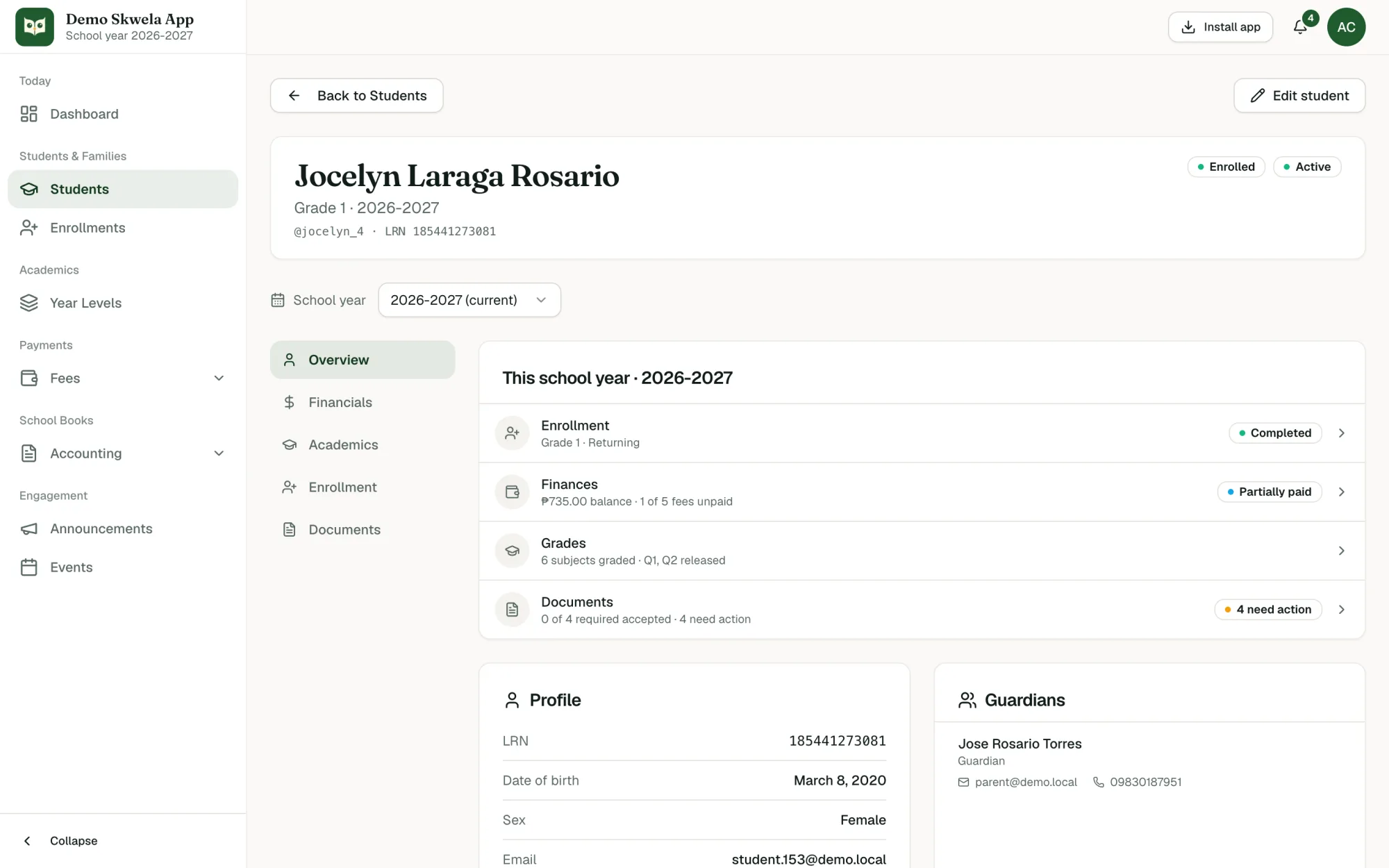
Everything your staff need about one student, on one page.
- Each student record has five sections: Overview, Financials, Academics, Enrollment and Documents.
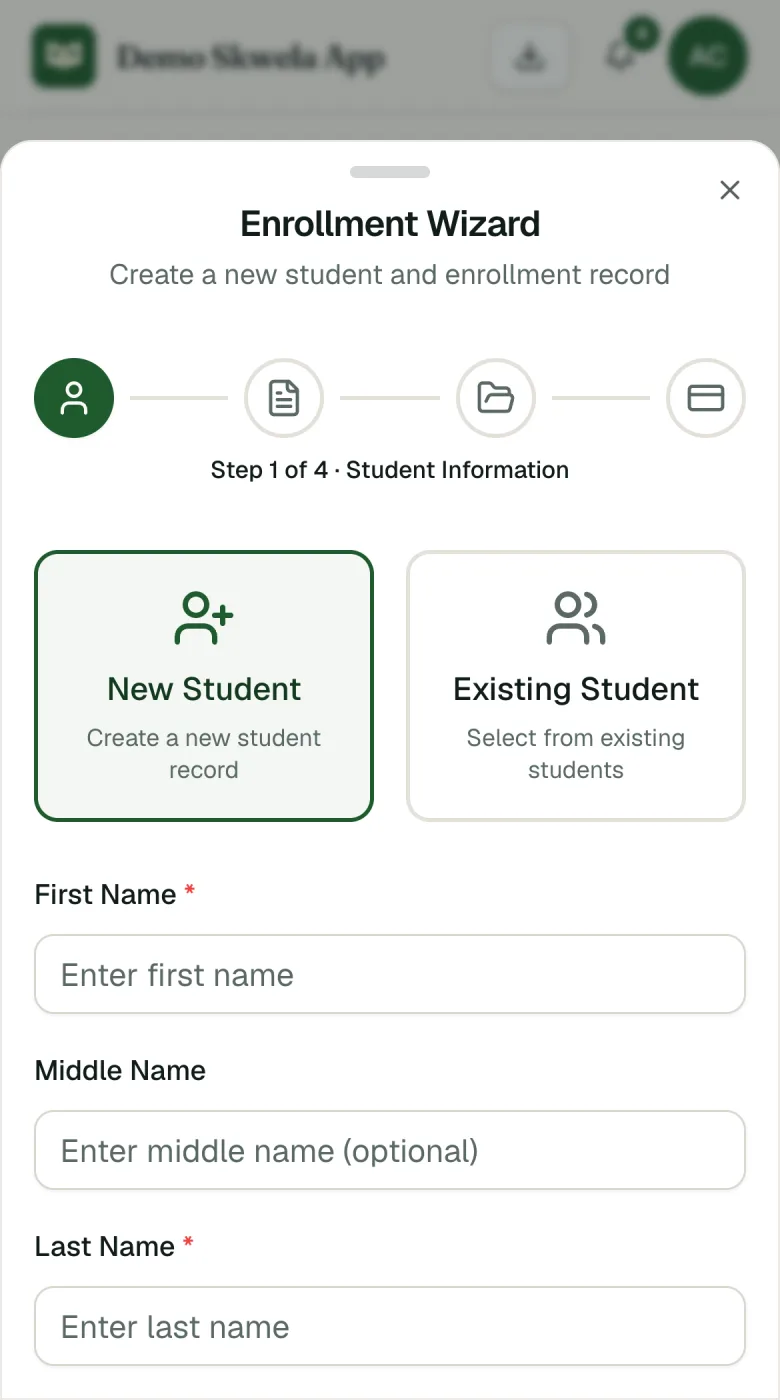
- Enrolling a student walks through four steps: Student, Enrollment, Documents and Payment.
- Enrollment types are New, Returning, Transferee and Cross-enrollee.
- A possible duplicate (same name and date of birth) is flagged before a second record is created.
- Grades are encoded one subject at a time, and each quarter is released to every family at once; nothing reaches families before that.
- The registrar reviews each requirement a family sends and accepts it, or rejects it with a reason.
- Enrollment
- The student's placement for one School year: year level, section, type and status.
- LRN
- The DepEd Learner Reference Number, printed on every document the school issues.
- Statement
- One School year's fees, payments and discounts in a single card.
- Release
- Sharing one quarter's grades with every family at once.
Guardian Record
The adults responsible for each student, and how they reach the Family Portal.
- A Guardian can be linked to several students, with the relationship recorded on each link.
- Each Guardian record shows a child summary of every linked student, read straight from the student record.
- Staff send each Guardian an Invite to the Family Portal and can see whether it is invited, expired or active.
- Guardian
- Any adult responsible for a student: a parent, grandparent, aunt or other guardian.
- Primary contact
- The Guardian the school reaches first.
- Portal access
- Whether a Guardian can sign in to the Family Portal, and the Invite that grants it.
Data Migration
Bring your existing spreadsheets: your records arrive through Imports, and nothing is overwritten.
- Fee structures, students, parents and guardians, enrollments, other fees and operating expenses can all be imported from CSV.
- Each record type has a template with the exact columns and a filled example.
- Files are checked before upload; ₱ signs and thousands separators are cleaned up and flagged rows are called out.
- Nothing is overwritten: records that already exist are skipped and listed in the report.
- Migration
- A set of Imports run in the right order.
- Template
- A blank spreadsheet with the exact columns, plus a filled example.
- Report
- A file of every skipped or failed row and the reason, ready to fix and re-import.
Printed Documents
The official paper your school issues, previewed exactly as it prints.
- Form 137 (SF10) prints in its DepEd variants for Elementary, Junior High and Senior High.
- Certificates of Enrollment, Good Moral Certificates and Clearance Forms print from the student record.
- Receipts, the Statement of Account and Payment History print for any student.
- While a student's fees for the school year are unsettled, the SF10 preview is marked DRAFT.
- Documents print on Letter or Legal paper with your school's name, logo and signatories.
- Release
- Printing or downloading a document.
- Hold
- An SF10 held back while the student's balance is unsettled.
- Signatories
- The registrar and principal named on the paper.
See it with your own school's work in mind
Request a demo and a person replies within 1 working day to set a time. We show each office its own screens, with sample data.
Request a demo