Enrollment, tuition, DepEd forms and a parent portal
The school management system for private schools in the Philippines
Enroll, collect and report in the words your school office already uses. Skwela keeps every student's record, every peso and every printed form in one place, and gives parents a portal on their phone. Each school gets its own.
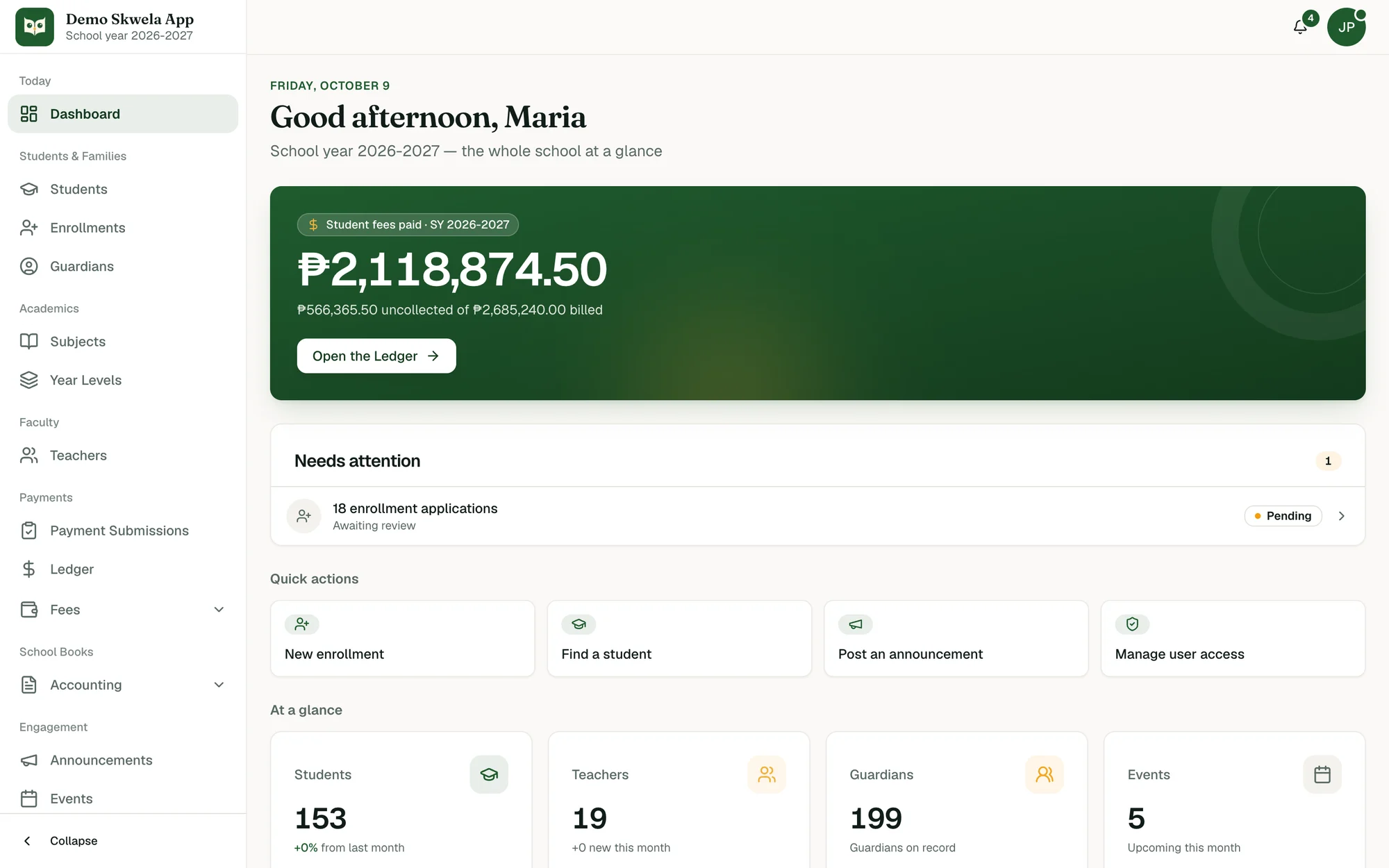
What Skwela does
Student Record
Enroll.
Enroll a student in four steps, collect requirements, and link guardians, without retyping what is already on file.
Staff Payments
Collect.
Record tuition and other fee payments at the window, approve proof of payment sent by GCash, Maya or bank, and issue a receipt number for every one.
School Books
Report.
See Billed, Paid and Uncollected for the school year, and print Form 137, receipts and the Statement of Account.
Features by role
One system. Each office sees its own work.
Registrar
Enrollment season, requirements, guardians and the paper the school issues, in the words your office already uses.
Skwela for RegistrarCashier / Accounting
From the payment window to the school's own books, with the same figures on both sides.
Skwela for Cashier / AccountingTeachers
Encoding, release, and the faculty record behind each teacher.
Skwela for TeachersParents & Students
The Family Portal shows what the school's own records show, and nothing your school has not released.
Skwela for Parents & StudentsSchool Heads
The choices an administrator makes once, the school's own books for the year, and a record of who did what.
Skwela for School Heads
The words your office already uses
Every part of a school, in its own words
Skwela is built around the work a school office already does. Each part keeps its own screens and its own terms, and a word means the same thing on every screen and on this website.
Student Record
Everything your staff need about one student, on one page.
See the screens: Skwela for RegistrarGuardian Record
The adults responsible for each student, and how they reach the Family Portal.
See the screens: Skwela for RegistrarStaff Payments
How the cashier records money at the window and approves payments families send online.
See the screens: Skwela for Cashier / AccountingSchool Books
The school's own money for a school year: what came in, what went out, and what is still owed.
See the screens: Skwela for Cashier / AccountingFamily Portal
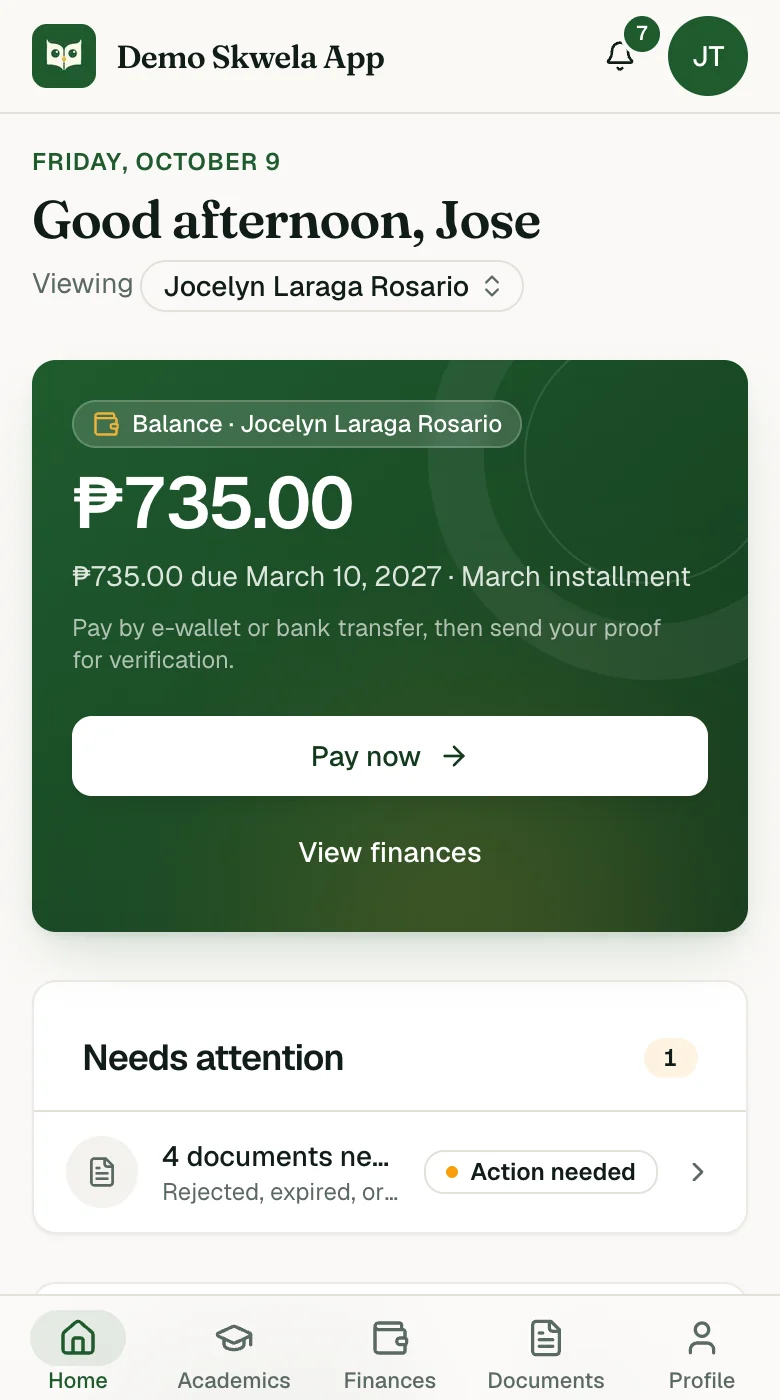
What a parent or student sees on their phone: balance, fees, grades and documents.
See the screens: Skwela for Parents & StudentsData Migration
Bring your existing spreadsheets: your records arrive through Imports, and nothing is overwritten.
See the screens: Skwela for RegistrarPrinted Documents
The official paper your school issues, previewed exactly as it prints.
See the screens: Skwela for RegistrarFaculty Record
Everyone the school employs: position, employment status, academic load and salary.
See the screens: Skwela for TeachersSchool Configuration
The school-wide choices an administrator makes once, in one place.
See the screens: Skwela for School HeadsAdministration
Who can do what, and a record of what was done.
See the screens: Skwela for School Heads
How it fits together
A payment, from a parent's phone to the cashier and back
- 1
Family Portal
Payment proof
A parent pays by GCash or bank and sends the proof from the Family Portal.
- 2
Staff Payments
Allocation
The cashier checks it against the school's own statement and reviews how it is spread across fees.
- 3
Staff Payments
Receipt number
Approving posts the payment and issues a receipt number.
- 4
Family Portal
Balance
The parent's balance updates, from the same ledger the cashier sees.
Bring your existing spreadsheets
Students, guardians, enrollments, fee structures and other fees arrive through Imports, so your first day starts with your own records.
Built for Philippine schools
- LRN
Every student record carries the DepEd Learner Reference Number, printed on every document the school issues.
- SF10
Form 137 (SF10) prints in its DepEd variants, with the student's LRN.
- Jun–Mar
The school year runs June to March by default, and the school can change it.
- GCash
Families pay in pesos: cash at the window, or GCash, Maya and bank transfer from their phone.
Your school's data stays your school's
- Each school runs on its own Skwela, with its own database, never shared with another school.
- Staff see only what their role allows.
- The Activity Log records who did what, and when, including actions an administrator takes while helping another staff member.
- Families see only their own children, and only grades the school has released.
Questions schools ask
Can we bring our existing records?
Yes. Students, guardians, enrollments, fee structures, other fees and operating expenses import from spreadsheets. Records that already exist are skipped, never overwritten.
Does Skwela print Form 137 and other DepEd forms?
Yes. Form 137 (SF10) in its Elementary, Junior High and Senior High variants. Skwela also prints Certificates of Enrollment, Good Moral Certificates, Clearance Forms, receipts and the Statement of Account.
Is there a parent portal or parent app?
Yes, the Family Portal. It opens in the phone's browser with nothing to install, and parents can add it to their home screen to use it like an app.
Can parents pay tuition through GCash?
Yes. A parent pays by GCash, Maya or bank transfer and sends the proof of payment from the Family Portal. The cashier approves it, the payment posts, and a receipt number is issued. Cash at the window is recorded by the cashier the same way.
Is our data shared with other schools?
No. Each school runs on its own Skwela with its own database.
Look around, one office at a time
Each page shows one office's screens, with sample data, and the words that office already uses.